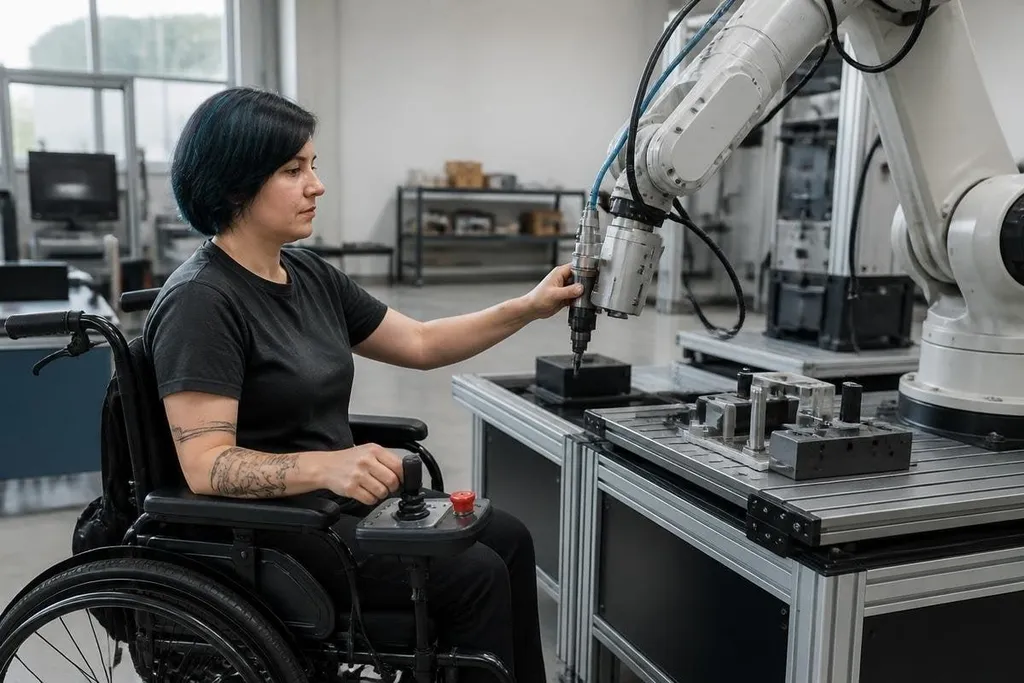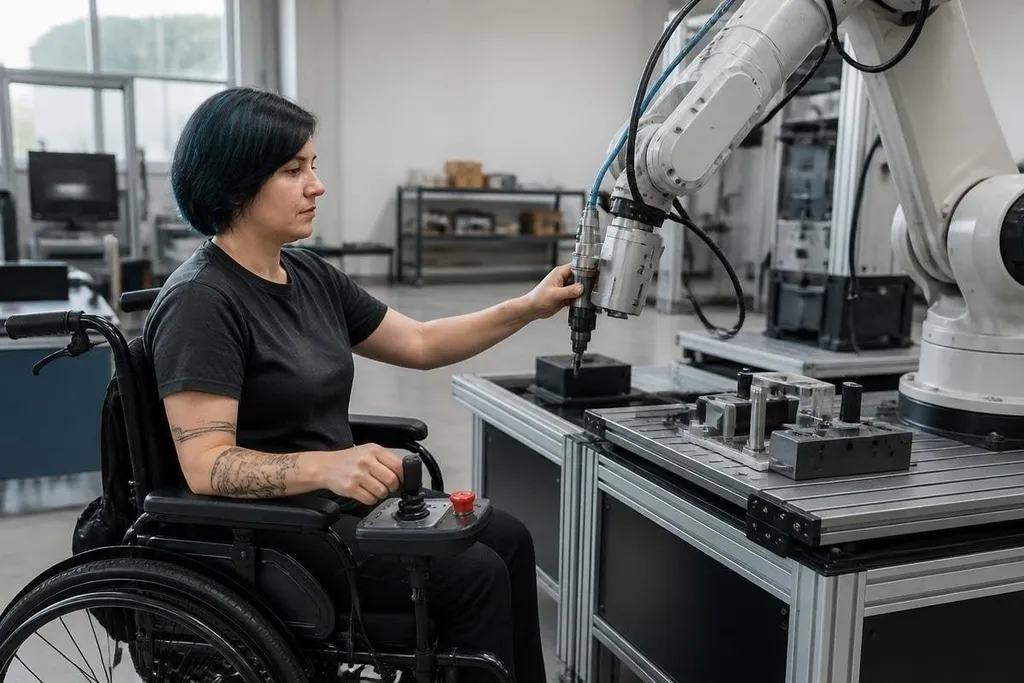
A robot can complete its task and still fail the person who has to control, repair, or work beside it. Inclusive robotics design starts earlier than the final test: it asks which bodies, senses, languages, skills, and work settings the system must support.
For a technician, operator, or buyer, that question changes what counts as a working robot. A machine that needs a tall user, two strong hands, perfect vision, or one fixed language may pass a lab test and still create a daily barrier.
Quick read
- Design controls for seated and standing users, with more than one way to issue commands.
- Check reach, grip force, sound, light, screen text, and service access before deployment.
- Test with people who have different bodies and abilities, not only with the design team.
Start with the full task
Inclusive design begins by mapping the work around the robot. The task may include carrying a part, reading a status screen, clearing a jam, charging a battery, or stopping motion during an unsafe event. Each step can place a different demand on the person.
Reach is one clear example. A control panel mounted for a standing adult may sit too high for a wheelchair user. A display with small text may slow a person with limited vision, while a bright warning light may go unseen by someone who cannot distinguish certain colors.
The fix depends on the task. A panel may need height adjustment, larger text, tactile controls, spoken alerts, or a physical emergency stop that a seated operator can reach. These are design choices, not extra features to add after the machine is finished.
Give people more than one control path
A single control method places the full burden on one ability. Voice commands fail in loud rooms. Touchscreens can be hard to use with gloves or limited hand movement. Physical buttons may work well for one action but give poor access to menus and status information.
A better system gives the operator suitable choices. The robot could accept a button press for an emergency stop, a screen command for setup, and a remote control for tasks that keep people outside the work area. The right mix depends on the risk and the setting.
Those choices also help when one part of the system fails. If a microphone stops working, the operator still needs a clear way to stop the robot. If a screen goes dark, service staff need another path to read faults and place the robot in a safe state.
Those backup controls need a test record that names the robot, the task, and the people who used it. Robot24.com robotics coverage can connect inclusive design claims to working systems before the next section tests them with the people affected.
Test with the people affected
Design teams can check measurements and software. They can't predict every barrier from a meeting room. Testing needs people with different heights, reach limits, grip strength, hearing, vision, movement, and language needs.
The test should use the real task. Ask a person to start the robot, read its warning, replace a part, and stop motion during a fault. Watch where they reach, what they miss, and which steps need help. A successful test ends with changes to the design, not a polite comment that the system worked.
This work also covers the space around the robot. Clear floor space, door width, ramp access, lighting, sound levels, and the weight of service parts can decide who can use the machine safely.
A robot may have accessible controls and still block the only route through a work area.
A practical design check
Before you approve a robot for a site, check these points with the people who will use and maintain it:
- Reach: Can seated and standing users reach controls, ports, and emergency stops?
- Force: Can the task be done without excessive grip, push, pull, or lift force?
- Feedback: Do warnings use clear text, sound, light, and touch where needed?
- Control: Is there a second control method when the main one cannot be used?
- Service: Can a technician inspect, clean, charge, and repair the robot safely?
- Space: Does the robot leave enough room for movement, transfer, and evacuation?
I'd reject a robot that passes its task test but leaves the operator unable to stop it safely. Inclusive design earns its place here because access, safety, and uptime meet at the same control panel.
The next useful step is a test session at the intended site, with the real controls and the people who will use them. If someone cannot complete a safe stop, the design still needs work.